

Setup
Load Session and Get Lap Data
Calculate Time Deltas
Convert lap times to seconds and calculate the difference for each lap.Color Code by Faster Driver
Assign colors based on which driver was faster on each lap.Create the Bar Chart
Visualize the deltas with a bar chart where bar height shows the time difference.Add Legend and Styling
Complete Example
Here’s the full code in one block:Interpreting the Chart
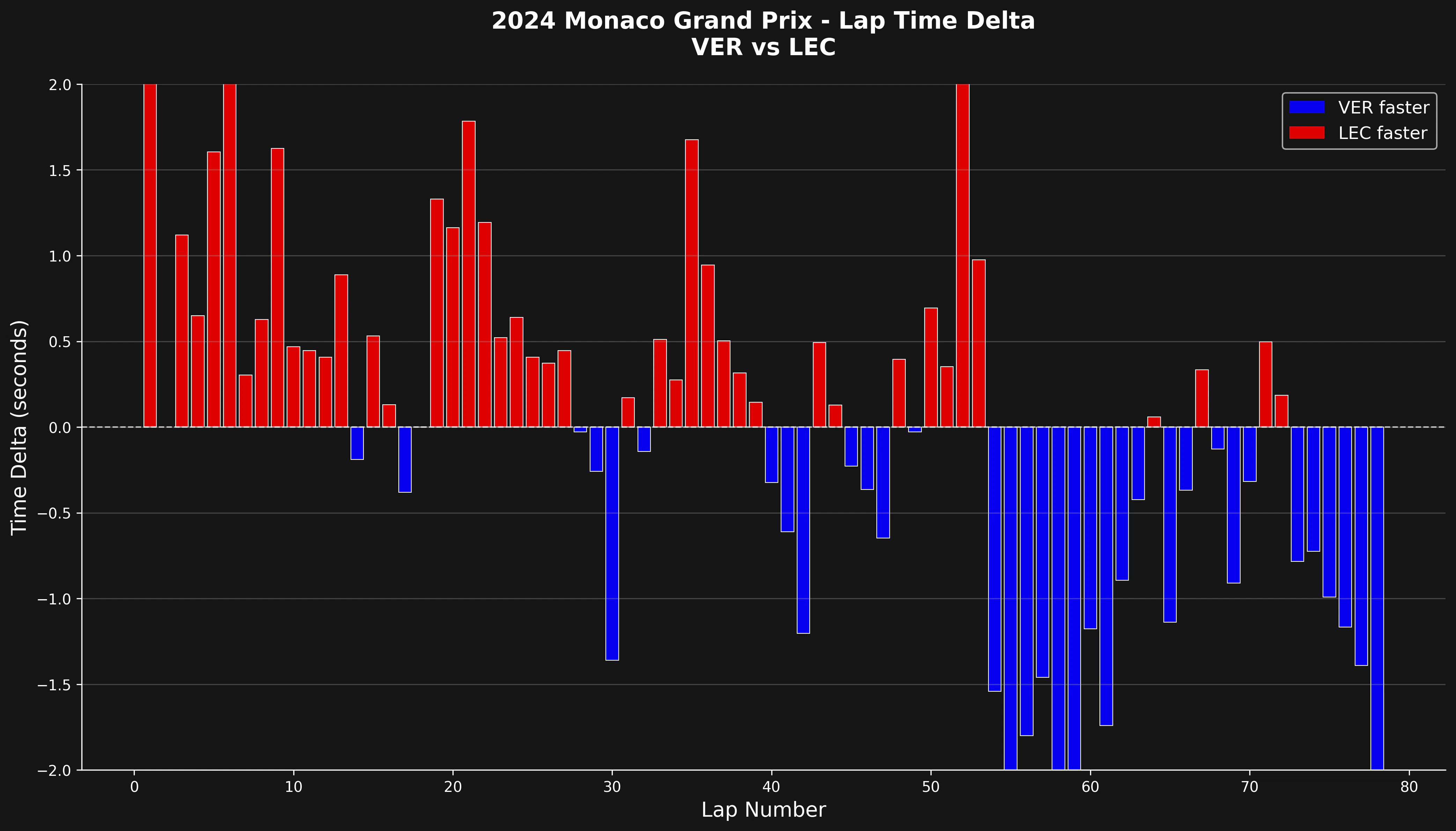
- Bars above zero: Driver 2 was faster on that lap
- Bars below zero: Driver 1 was faster on that lap
- Bar height: Magnitude of the time difference in seconds
- Color coding: Quick visual identification of who was faster
What to Look For
This visualization helps identify:- Consistency: Who maintains more consistent lap times?
- Pace trends: Does one driver get faster or slower as the race progresses?
- Tire degradation: Increasing deltas may indicate tire wear
- Strategy impact: How do pit stops affect relative performance?
- Traffic effects: Sudden spikes often indicate traffic or incidents
Filtering Out Outliers
For cleaner analysis, you can filter out pit laps and safety car periods:Comparing Multiple Driver Pairs
You can create a function to easily compare different driver pairs:Summary
Lap delta comparisons provide a clear, lap-by-lap view of relative performance between drivers. This simple visualization makes it easy to spot patterns, consistency differences, and the impact of race events on driver performance.Related Pages
Driver Lap Times
Individual driver analysis
Telemetry Comparison
Detailed telemetry analysis
Race Pace Analysis
Compare race pace
Position Changes
Track position changes